Dental Practice Cybersecurity: Small Team, Same Obligations
Imaging systems that cannot be patched, a practice management vendor holding everything, and the same privacy obligations as a hospital.
GuardsArm Team
Security Experts
A dental practice holds health information and is subject to health privacy obligations in essentially the same way a larger provider is. It also has one or two people handling everything administrative, an IT arrangement that may be a local contractor, and clinical software chosen for clinical reasons rather than security ones.
The obligations do not scale down. The resources do.
Two systems hold everything
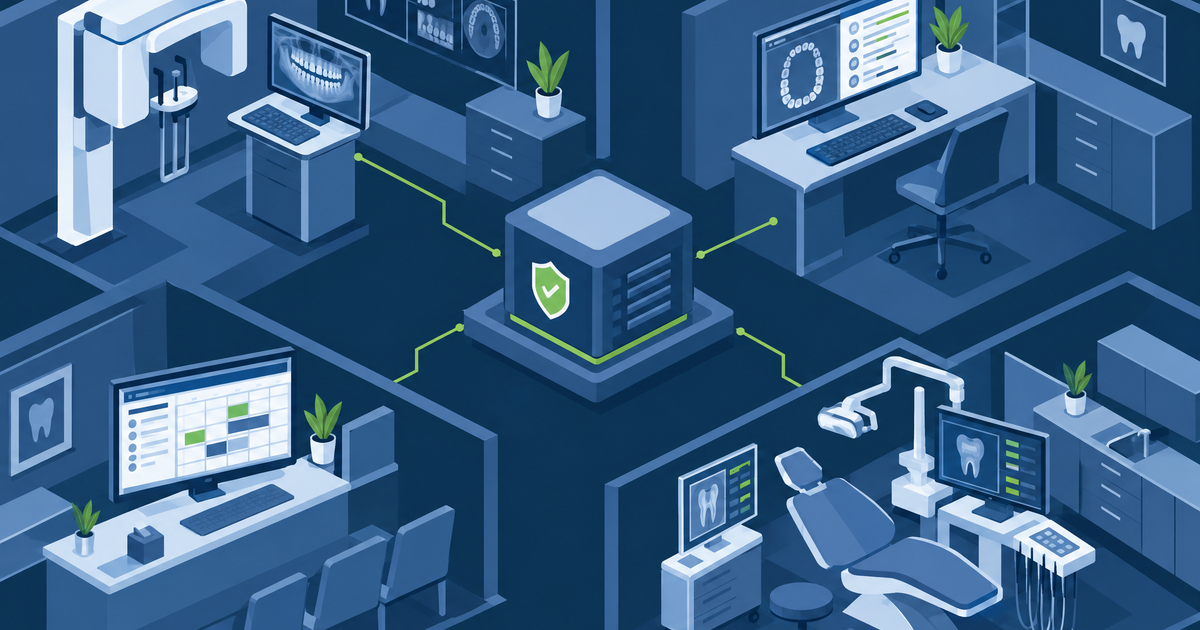
Practice management holds patient records, appointments, treatment history, billing and insurance details. Imaging holds radiographs, often in a separate system with its own database and its own vendor.
Both are typically supplied, installed and maintained by vendors, which concentrates the security position in decisions the practice did not make.
Questions worth asking your vendors directly:
| Question | Why it matters |
|---|---|
| Is our data hosted by you or stored here? | Determines who is responsible for backup |
| How do you access our system for support? | Persistent access is common and usually unlogged |
| Is that access logged, and can we see it? | You are accountable for what happens in your system |
| What happens to our data if we leave? | Export format, and deletion |
| Have you had a security assessment? | Ask for a summary |
The support access question is the important one. Practice management and imaging vendors frequently hold standing remote access, shared among their support staff. See third-party remote access.
Imaging systems age badly
Radiography equipment has a long service life and its controlling computer often runs an operating system no longer supported. The vendor may not certify updates, and replacing the computer can mean replacing the imaging hardware.
Containment is the answer: put the imaging workstation on its own network segment, restrict what it can reach and what can reach it, remove internet access, and monitor around it. See legacy endpoint containment.
Ransomware stops a practice completely
A practice that cannot access its schedule cannot see patients. There is no partial mode. Recovery capability is therefore the single most important investment.
What that means concretely:
- Backups that are offline or immutable, so ransomware cannot encrypt them
- A tested restore — not a backup job reporting success, an actual restoration of the practice management database
- A printed day sheet produced daily, so tomorrow's appointments exist on paper
- A known contact route to patients that does not depend on the practice system
- A written decision about who to call, before you need to
The printed day sheet is trivially cheap and has saved practices from a complete standstill on day one of an incident.
The free and near-free list
For a practice with no budget line for security, these close most of the realistic exposure:
- Unique logins for every person. Shared front-desk accounts are the norm and defeat every audit trail.
- MFA on email, which is where practice compromise usually begins.
- Remove access promptly when staff leave.
- Screen locks on operatory and reception machines.
- Encryption on laptops and any portable media.
- Ask the vendor to disable any support access that is not needed.
Privacy obligations
Depending on your province, you are a custodian or trustee under health privacy legislation with duties around safeguards, access and breach notification. See Alberta HIA, Ontario PHIPA and Manitoba PHIA.
The common requirement across all of them is written safeguards and the ability to say who accessed a record. Both are achievable at practice scale.
The local IT contractor question
Most practices rely on a local IT provider, and the relationship is usually informal and long-standing. That is not a problem in itself, but it is worth establishing a few things explicitly:
- Do they hold administrative access to your systems, and is it individual to each of their technicians or a shared account?
- Is their access logged, and can you see it?
- Do they have a written agreement covering confidentiality and health information?
- What is their own security posture — are their remote support tools protected with MFA?
- What happens if they are unavailable? A single contractor is a single point of failure for the practice.
Compromise of an IT provider affects every client they serve, and small healthcare practices have been reached this way. The questions are not a criticism of the provider; they are the same questions any vendor should expect.
What a practice should be able to demonstrate
If a regulator or a patient complaint arrives, these are the artefacts that matter, and each is achievable for a small practice:
| Artefact | Effort |
|---|---|
| A written risk assessment | One-off, then reviewed |
| Written privacy and security policies | One-off |
| Training records with dates | An hour a year per person |
| A list of who has access, reviewed | Quarterly, fifteen minutes |
| Audit log capability, tested once | One afternoon |
| Vendor agreements | One-off |
| A written breach procedure | One page |
None of that requires a security budget. It requires somebody to own it and a few afternoons across a year.
Where to start
Print tomorrow's schedule tonight, and test whether you can restore your practice management database from backup. The first takes a minute and protects your worst day; the second tells you whether your backup is real.
GuardsArm works with small healthcare practices on proportionate security. See healthcare solutions or book a scoping call.
Written by GuardsArm Team
Our team of cybersecurity experts brings decades of combined experience in penetration testing, compliance auditing, and incident response. We're dedicated to helping organizations strengthen their security posture.
Take the next step on “Dental Practice Cybersecurity: Small Team, Same Obligations”
Talk to the GuardsArm team about how these services apply to your environment.