More of the shift goes to analysis
Queue, case, hunt and timeline share one workspace and one set of findings, so context carries from one step to the next.

One workspace for the alert queue, investigations, hunting and the timeline behind them.
Analysts lose time moving between a queue in one tool, a case in another and a search in a third. SOC Operations is the working surface where those are the same place.
What is at stake
Analyst time is the scarcest thing in a security team, and tool switching spends it on nothing.
Queue, case, hunt and timeline share one workspace and one set of findings, so context carries from one step to the next.
Alerts are linked into incidents, which avoids several analysts each closing a piece of the same attack.
Ownership, status and overdue approvals are visible, so work that has stalled is found.
Who carries this
Carried by the SOC manager, who answers for how quickly alerts are picked up and how consistently they are closed.
The problem
Triage, investigation and hunting are stages of the same piece of work, and an analyst moves between them many times in a shift. When each stage lives in a different product, every move costs context: a copied identifier, a re-run search, a timeline rebuilt by hand.
The cost is not only time. Details get dropped at each hand-off, and the alert that was dismissed in the queue is never connected to the case that would have explained it.
SOC Operations keeps the queue, the cases, the hunts and the timeline in one workspace, reading from the same findings.
Every tool boundary in an investigation is a place where a detail gets lost.
Capabilities
Filter by severity, agent and time window, switch between presets such as critical and open, escalated or false-positive review, save your own views, and set the density of the table. Each alert shows its rule, source, agent, status, owner and case.
Incidents carry an identifier, title, severity, status, linked alerts, owner and opening time. They are opened by analysts, by correlation and by the platform itself when a response approval sits past its deadline.
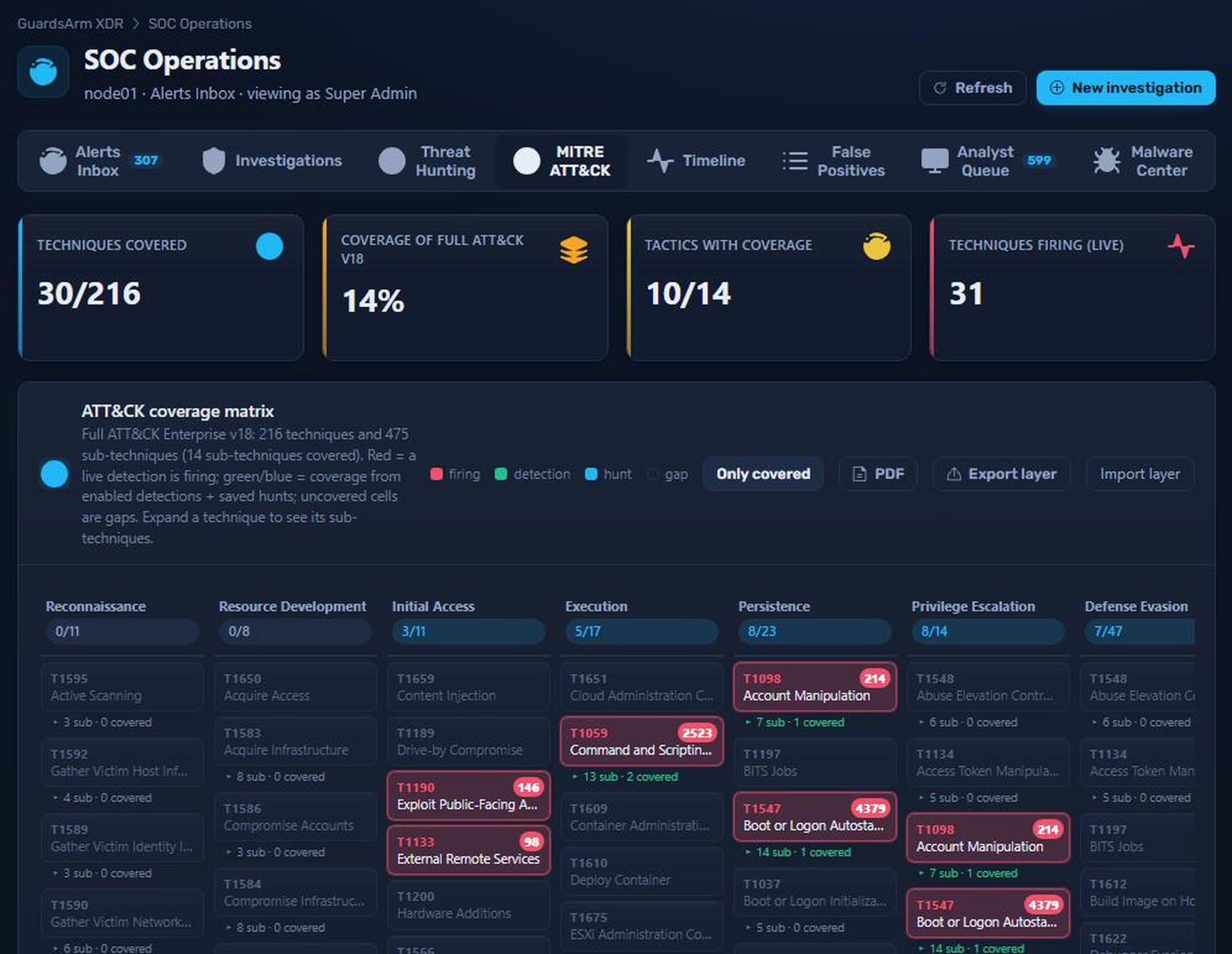
Run query-string hunts across events, detections and vulnerabilities, install curated hunt packs tagged to ATT&CK techniques, and save or schedule the hunts worth repeating.
Event volume in one-minute buckets with an investigation timeline underneath, filterable by agent, for answering what happened in what order.
Dedicated views for false-positive review and for the analyst queue keep tuning work and assigned work from being buried in the main inbox.
Malware detections, the YARA rule set and quarantine in one place, covering both command-line detection and on-endpoint file scanning.
How it fits the platform
Everything here reads from the same findings and the same severity scale as the rest of the platform, so an alert, the incident it belongs to and the hunt that found its siblings never disagree about what they are looking at.
How it works
How work moves through the workspace.
It lands in the inbox with a severity from the platform scale, so sorting by highest first means something.
The analyst acknowledges it, assigns an owner, marks it as a false positive, or escalates it.
Related alerts are linked to one incident. Correlation opens incidents on its own when a sequence is recognised.
A hunt checks whether the same behaviour exists elsewhere, and a useful hunt is saved or scheduled.
Response actions that need approval are tracked, and one left unapproved past its deadline opens an incident of its own so it cannot be forgotten.
Questions
Yes. The inbox has filters for severity, agent and time, built-in presets, saved views and three table densities.
Curated sets of hunts tagged to MITRE ATT&CK techniques that can be installed to give a new deployment a starting point. The console includes packs for credential access, execution and persistence, defense evasion and discovery, and command and control with exfiltration.
An approval left past its deadline opens an incident of its own in Investigations, so the pending decision is visible instead of silently expiring.
Works with
Every module runs in the same self-hosted stack and shares the same telemetry, severity model and response engine.
Turn raw events into severity-graded, ATT&CK-mapped alerts — then connect them into real attacks.
ExploreSee what you actually detect, write the rule you are missing, and test it before it runs.
ExploreRespond in seconds, with guardrails.
ExploreWe will walk through the console, the deployment model and what it takes to stand it up in your environment.